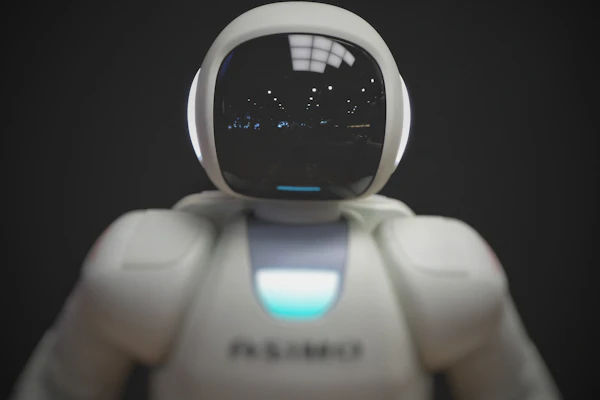
Remote Video Production Best Practices For Ai & Machine Learning [Home](/) > [Blog](/blog) > [Remote Work Categories](/categories/remote-work) > Remote Video Production For AI The world of content creation is undergoing a massive shift as artificial intelligence and machine learning become integrated into every stage of the creative process. For digital nomads and remote teams, this evolution offers a chance to produce studio-quality visual content without needing a physical studio or a massive crew. As more companies hire [remote talent](/talent) specialized in video processing, the demand for clear, actionable standards in remote video production has peaked. Whether you are a solo creator living in [Chiang Mai](/cities/chiang-mai) or a production lead managing a distributed team across [Berlin](/cities/berlin) and [Austin](/cities/austin), understanding how to fuse traditional cinematography with AI-driven tools is no longer optional—it is a requirement. Remote video production used to mean grainy Zoom calls or shipping hard drives across borders. Today, it involves cloud-based rendering, neural networks that can upscale footage in real-time, and machine learning algorithms that automate the tedious parts of the edit. This transition allows creators in [Tbilisi](/cities/tbilisi) to collaborate with creative directors in [London](/cities/london) as if they were in the same room. However, the technical complexity of these workflows requires a disciplined approach. You must balance hardware limitations with cloud computing power while ensuring your data remains secure and your output stays human-centric. This guide aims to provide a deep dive into the technical, creative, and logistical frameworks needed to master remote video production in the age of machine learning. ## 1. Technical Infrastructure for Remote AI Workflows The backbone of any remote production setup is the hardware and connectivity that allows for high-speed data transfer and heavy computational tasks. When working with AI models—especially those used for generative video or deep-learning-based color grading—the local machine often becomes a bottleneck. To combat this, remote workers are increasingly turning to cloud-based workstations. ### High-Spec Hardware vs. Cloud Computing
For a digital nomad based in Medellin, carrying a 40lb desktop computer is not feasible. Instead, the focus should be on a high-quality laptop with a dedicated GPU, supplemented by cloud services. Machine learning tasks like training a Custom Model or running stable diffusion locally require significant VRAM. If your physical hardware cannot handle this, platforms like Google Colab or AWS G4 instances allow you to run these processes remotely. ### Internet Stability and Speed
You cannot manage a remote video team without a symmetrical fiber connection. While Lisbon offers excellent infrastructure, you might find yourself in more remote locations where Starlink or high-gain 5G routers are necessary. The goal is to minimize latency when accessing remote desktops. Use tools that offer "zero-latency" or "low-latency" streaming protocols like SRT (Secure Reliable Transport) to review high-bitrate footage in real-time with clients. ### Storage Solutions for Big Data
Video files are large; AI datasets are even larger. A typical remote job in video production might require handling terabytes of RAW footage. Implement a tiered storage system:
1. Local NVMe SSDs: For active project files and cache.
2. Network Attached Storage (NAS): For local backups if you have a stable home base.
3. Cold Object Storage: Such as Amazon S3 or Backblaze for long-term archival of training data used for machine learning models. ## 2. Capturing High-Quality Data for AI Models In the world of machine learning, "garbage in, garbage out" is the golden rule. If you are filming remotely to feed a machine learning model—for example, to create a digital twin or a custom voice-sync model—the quality of the initial capture is more important than the edit itself. ### Lighting and Consistency
AI algorithms struggle with inconsistent lighting and shadows. When filming remotely in a location like Bali, where the tropical sun changes position rapidly, you must control your environment. Use black-out curtains and high-CRI (Color Rendering Index) LED panels to ensure that the light hitting the subject remains constant throughout the shoot. This consistency is vital for models that perform "temporal consistency" checks across frames. ### Green Screen and Background Isolation
Machine learning-based rotoscoping (removing backgrounds without a green screen) has improved, but it is not perfect. For professional results that allow for the best "inpainting" (filling in missing parts of a video), always use a physical green screen when possible. This provides the clean alpha channel needed for advanced compositing. If you are traveling, collapsible 5x7 chroma key panels are essential gear for your digital nomad kit. ### Audio Capture for Voice Cloning
If your project involves AI voice synthesis or dubbing, the audio must be "dry"—meaning no echo and no background noise. A nomad in a bustling city like Ho Chi Minh City should use a microphone rather than a condenser mic, as mics are better at rejecting off-axis noise. This clean audio serves as the "ground truth" for training the AI to mimic a specific voice. ## 3. Integrating AI into the Post-Production Pipeline Post-production is where machine learning truly shines, especially for freelance video editors who need to speed up their turnaround times. By offloading repetitive tasks to AI, you can focus on the storytelling and narrative structure. ### Automated Transcription and Logging
Tools that use Natural Language Processing (NLP) can transcribe hours of interviews in minutes. This allows you to search for specific keywords across your folders. This is particularly helpful for content creators managing vast libraries of vlog footage or corporate interviews. ### Neural Filters and Upscaling
Topaz Video AI and similar tools are essential for remote productions where the lighting wasn't perfect or the camera used wasn't top-tier. These tools use machine learning to:
- Denoise: Remove grain from low-light shots taken in dim cafes or night markets.
- Upscale: Turn 1080p footage into 4K with sharp details.
- Slow Motion: Generate "in-between" frames (interpolation) to turn 24fps footage into 120fps slow motion without stuttering. ### AI-Driven Color Grading
Color grading used to require a calibrated monitor and years of training. Now, machine learning plugins can match the color profile of a "hero shot" across your entire timeline. This ensures a consistent look even if cameras from different manufacturers were used across a distributed team in Mexico City and Buenos Aires. ## 4. Collaborative Platforms for Distributed Teams Effective remote video production requires a stack of tools that allow for synchronization without the need for constant meetings. Management roles in remote production focus heavily on building these "asynchronous" workflows. ### Frame-Accurate Review Tools
Using standard cloud storage for reviews is a mistake. Professional remote teams use platforms that allow for frame-accurate commenting. A director in London can draw on a specific frame of the video, and the editor in Cape Town sees that annotation instantly. This eliminates the confusion of "the shot around the 2-minute mark." ### Version Control for Video
Just as software developers use Git, video editors need version control. This is even more vital when using AI generative assets, where you might produce 50 variations of a single background. Use a consistent naming convention: `Project_Version_Date_Status`. ### Real-Time Remote Editing
For high-stakes projects, "over-the-shoulder" remote editing is possible. Using high-performance streaming software, an editor can share their timeline with a client in real-time with minimal lag. This is a great way to close out projects when you are working as a remote contractor. ## 5. Security and Data Management for AI Projects AI and machine learning projects often involve sensitive data, including proprietary algorithms or unreleased footage. Protecting this data is a major concern for companies looking to hire remote developers and video specialists. ### Encryption and VPNs
When accessing your cloud workstation or uploading raw files from a public Wi-Fi spot in Prague, a high-quality VPN is mandatory. Ensure all file transfers occur over HTTPS or SFTP protocols. For extreme security, use end-to-end encrypted storage providers where the service provider does not hold the keys to your data. ### Rights Management for AI Assets
The legal world is still catching up with AI. When you produce a video using generative AI, who owns the copyright? If you are a freelancer, ensure your contracts specifically address "AI-generated or AI-augmented assets." This protects you and your client from future legal disputes regarding the "training data" used by the software. ### Data Privacy and Personal Data
If your machine learning model uses real people's faces (Deepfakes or Digital Twins), you must have written consent that covers the use of their biometric data. This is especially strict in the EU under GDPR. Remote production leads should consult with legal experts to ensure compliance across different jurisdictions. ## 6. Budgeting for Remote AI Production Working with AI can save money in some areas while increasing costs in others. Understanding where the budget shifts is a key part of remote operations. ### Savings in Travel and Crew
The obvious benefit of remote production is the elimination of travel costs. You no longer need to fly a crew to Tokyo for a two-day shoot. Local "stringers" or remote shooters can capture the footage, while the heavy lifting of editing and AI processing happens in the cloud. ### Increased Costs in Computing
While you save on airfare, your "compute budget" will rise. Subscriptions for AI tools and per-hour costs for GPU instances in the cloud can add up. It is important to factor these into your project quotes. A common mistake for creative freelancers is underestimating the time and cost of rendering AI sequences. ### Outsourcing to Specialized Talent
Instead of hiring a generalist, remote production allows you to hire specialists for specific AI tasks. You might hire a Python developer to build a custom automation script for your video pipeline or a specialist in "Prompt Engineering" for high-end generative visuals. ## 7. The Workflow: From Concept to AI-Enhanced Final Export To truly master this, you need a repeatable process. Let's look at how a remote production workflow typically unfolds for an AI-centric project. ### Phase 1: Pre-Visualization with Generative AI
Before a single camera is turned on, use AI image generators to create storyboards. This helps align the client's vision with your creative direction. It’s much easier to iterate on an AI-generated storyboard than to reshoot a scene in Warsaw because the client didn't like the "vibe." ### Phase 2: Remote Capture and Transmission
The footage is captured using the best practices mentioned in Section 2. The raw files are then uploaded directly to a cloud server. Using "proxies" (lower-resolution versions of the files) allows the editor to start working immediately while the massive RAW files are still uploading in the background. ### Phase 3: AI Augmentation
This is the "magic" phase. The editor uses machine learning to clean up audio, match colors, and perhaps use generative fill to remove an unwanted sign or power line from a beautiful shot of Barcelona. ### Phase 4: Feedback Loop
The draft is sent to the team via a frame-accurate review tool. The feedback is incorporated, and the final high-resolution render is triggered on a cloud machine to avoid overheating the editor's laptop in a hot Bangkok apartment. ## 8. Overcoming Common Challenges in Remote AI Video Despite the power of these tools, remote production isn't without its hurdles. Being prepared for these "pain points" will set you apart from less experienced creators. ### Dealing with "Hallucinations" in AI Video
AI video generators sometimes create "hallucinations"—weird visual artifacts like extra limbs or warping backgrounds. Fixing these requires traditional VFX skills. Real remote video experts know how to mask and paint over these glitches using software like After Effects or DaVinci Resolve. ### Synchronizing Distributed Libraries
Keeping every team member's local asset library in sync is a nightmare. Use tools that offer "selective sync" so people only download what they need. If you are working with a large team in Berlin and Tallinn, a central "Source of Truth" server is better than everyone having their own copies of files. ### Maintaining the "Human Touch"
The biggest risk of AI is making content that feels cold and robotic. The goal should be to use AI to handle the mechanics of production so you have more time for the art. Whether you are producing a brand film or a YouTube series, focus on the emotional arc. AI can color a frame, but it can't (yet) understand the nuance of a human smile or the perfect comedic timing of a jump cut. ## 9. Future Trends: What's Next for Remote AI Production? The pace of change in the machine learning space is staggering. Staying ahead of these trends is the only way to remain competitive in the remote job market. ### Real-Time AI Metahumans for Remote Interviews
We are approaching a point where "Metahumans" (hyper-realistic digital humans) can be used for corporate training or remote presentations. A remote worker could control their digital avatar using just a webcam, allowing for professional video output even if they are in a messy room or have a poor hair day. ### Edge Computing and 5G
As 5G rolls out more widely in cities like Seoul and Singapore, we will see more "Edge Computing." This means the AI processing happens on the 5G tower itself, allowing for real-time video augmentation during a live remote broadcast. ### Decentralized Production Hubs
Instead of one giant studio, we will see networks of "Micro-Studios" or co-working spaces equipped with high-end capture gear. A nomad can walk into a specialized space in Austin, record their part, and the AI will automatically integrate it into a global production. ## 10. Training and Upskilling for the AI Era If you want to stay relevant, you must become a "T-Shaped" creator—having deep knowledge in one area (like cinematography) and broad knowledge across many AI tools. ### Learning the Tools of the Trade
Don't just learn how to use an AI tool; learn how it works. Understanding the difference between a "Diffusion Model" and a "Generative Adversarial Network" (GAN) will help you troubleshoot when things go wrong. Take online courses on AI for creatives and stay active in communities on Discord and Reddit. ### Networking in the Remote Space
Your network is your net worth. Connect with other digital nomads who are experimenting with these tools. Share your workflows and learn from their mistakes. The best remote production tips often come from a casual conversation in a cafe in Canggu or a shared workspace in Valencia. ### Building an AI-First Portfolio
When applying for remote video roles, your portfolio should showcase your ability to integrate AI. Show "Before and After" shots of your AI upscaling. Explain how you used machine learning to solve a specific production problem. This demonstrates that you aren't just a button-pusher, but a problem-solver who understands modern tech. ## 11. Practical Tips: A Checklist for Your Next Remote AI Shoot Before you start your next project, run through this list to ensure you're covered: 1. Cloud Backup: Is your footage syncing to the cloud as you shoot?
2. Audio Quality: Are you using a mic in a "dead" acoustic environment?
3. Lighting Consistency: Is your lighting fixed, or will it change as the sun moves?
4. Compute Power: Do you have enough cloud credits or local GPU power for the AI tasks?
5. Legal/Ethics: Do you have the necessary releases for any AI-augmented likenesses?
6. Data Security: Are you using a VPN and encrypted storage for sensitive client files?
7. Communication: Have you set up frame-accurate review links for your global team? ## 12. Case Study: Leading a Global AI Video Campaign Imagine a startup in San Francisco needs a high-end promotional video. They hire a creative lead in Stockholm, an AI specialist in Belgrade, and a voice-over artist in Sydney. The creative lead uses AI to generate the script and storyboards. The AI specialist creates a "Digital Twin" of the company’s CEO using footage shot on an iPhone. The voice artist records the narration, which is then fed into an AI to perfectly sync the CEO's digital mouth movements. The entire production costs 70% less than a traditional shoot, takes half the time, and no one ever met in person. This is the power of remote video production for AI. ## 13. Deep Dive: The Role of Metadata in AI Content Management In a remote environment, your files are your lifeblood. When you are managing thousands of clips across a distributed team, standard file naming is no longer enough. AI thrives on metadata. To make your library "AI-ready," you need to implement a structured approach to data tagging. ### AI-Automated Tagging
Instead of manually entering descriptions for every clip, use AI tools that can "watch" your footage and automatically add tags. For instance, a clip shot in Rio de Janeiro could be automatically tagged with "beach," "sunset," "crowded," and "4K." This allows an editor in Krakow to search the central database and immediately find the exact shot they need without asking the cameraman. ### Embedding Provenance and Origin Data
With the rise of "deepfakes," the industry is moving toward "Content Authenticity" standards. When you export a video that uses AI, consider embedding metadata that proves its origin. This builds trust with clients and ensures your work isn't used for malicious purposes. This is a crucial skill for freelance editors who want to work with high-tier corporate clients. ## 14. Collaborative Workflow: Integrating Slack, Trello, and Video Tools A remote project is only as good as its communication. When you are combining technical AI tasks with creative video work, things can get lost in translation easily. ### Integrating AI Bots in Communication Channels
Use Slack or Discord bots that can trigger AI renders. Imagine typing `/render_ai_scene_01` into a channel and having a cloud server start the process while the whole team sees the progress. This level of transparency is common in tech-forward remote teams. ### Visual Project Management
Instead of long emails, use visual tools like Trello or Monday.com to track the stages of an AI video. Create columns for "Prompt Queue," "AI Rendering," "Human Review," and "Final Polish." This allows the project manager to see at a glance where the bottlenecks are occurring. ## 15. The Importance of Local "Fixers" in Remote Shoots Even with all the AI in the world, sometimes you need "boots on the ground." If you are directing a shoot in Istanbul from your desk in Toronto, you need a local fixer. ### What a Local Fixer Does
A fixer handles the permits, finds local talent, and ensures the remote director has a high-quality live feed of the camera. They are the "eyes and ears" on site. For remote productions, the fixer also ensures that the data is backed up to local drives immediately as a safeguard against slow internet uploads. ### Finding Talent Globally
Platforms that help companies hire talent are invaluable for finding these local experts. Whether you need a drone pilot in Athens or a gaffer in Budapest, having a network of reliable local professionals is the secret weapon of successful remote producers. ## 16. The Psychology of Remote Creative Work One often-overlooked aspect of remote production is the mental toll. Working in a silo, especially with complex AI tools that can sometimes be frustrating, requires a specific mindset. ### Avoiding "Prompt Fatigue"
Iterating on AI prompts for hours to get the "perfect" look can lead to burnout. It is important to set time limits. If you haven't achieved the look in 30 minutes, step away, take a walk in whatever city you are in—be it Hanoi or Rome—and come back with fresh eyes. ### Setting Boundaries in Different Time Zones
When your team is spread across the globe, the notifications never stop. Use "Do Not Disturb" settings and establish "Golden Hours" when everyone is expected to be online. This prevents the remote lifestyle from becoming a 24/7 grind. ## 17. Environmental Considerations: The Carbon Footprint of AI AI processing requires massive amounts of energy. As a responsible digital nomad, it's important to consider the environmental impact of your remote production workflow. ### Choosing "Green" Cloud Providers
Some data centers are powered by renewable energy. If you are running heavy machine learning models, research which cloud providers (like certain AWS or Google Cloud regions) have a lower carbon footprint. This is increasingly important for companies with strict CSR (Corporate Social Responsibility) targets. ### Efficient Rendering Practices
Don't render at 8K if the final output is for Instagram. Choose the right resolution and bitrate for the job. Use AI to "upscale" only the final delivery version, rather than processing every raw clip. This saves electricity, time, and money. ## 18. Legal Frameworks for AI Content in Different Regions As you produce content for a global market, you must be aware of the varying legalities surrounding AI video production. ### US vs. EU Regulations
The US generally has more relaxed "Fair Use" laws regarding the training of AI models, while the EU is moving toward more stringent disclosure laws (The AI Act). If your video is going to be seen in multiple markets, ensure it meets the highest common denominator of legal compliance. ### Intellectual Property (IP) Issues
If an AI model was trained on copyrighted images, does the output infringe on those copyrights? This is a gray area. To stay safe, use "Ethical AI" tools that only train on licensed or public domain content. This protects your freelance career from potential litigation. ## Conclusion: Emboldening the Next Generation of Remote Creators The fusion of AI, machine learning, and remote video production is creating the most significant period of democratization in media history. A filmmaker in Nairobi now has access to the same high-end processing tools as a studio in Hollywood. However, technology is merely a tool. The "Best Practices" outlined here—from technical infrastructure and capture quality to security and ethical considerations—are designed to give you a structure. The real magic happens when you use these tools to tell stories that haven't been told before, using your unique perspective as a remote worker. As the remote work continues to change, those who can bridge the gap between human creativity and machine efficiency will be the most sought-after professionals. Whether you are aiming to find a remote job or start your own production agency, mastering these AI workflows is your path to success. ### Key Takeaways:
- Prioritize Data Quality: High-quality "ground truth" data remains the most important factor for AI results.
- Master the Cloud: Don't rely on your laptop for heavy lifting; use cloud GPUs for rendering and AI tasks.
- Implement Workflows: Use frame-accurate review tools and clear naming conventions to manage distributed teams.
- Stay Secure: Protect your sensitive AI models and client footage with VPNs and encrypted storage.
- Focus on the Story: Use AI to automate the boring parts so you can focus on the human emotion and narrative.
- Keep Learning: The field moves fast; stay updated on new tools and legal shifts in the industry. The future of video isn't just remote; it's intelligent. By adopting these standards today, you are positioning yourself at the forefront of the next creative revolution. Explore more about remote talent or find your next city to work from in our city guides.