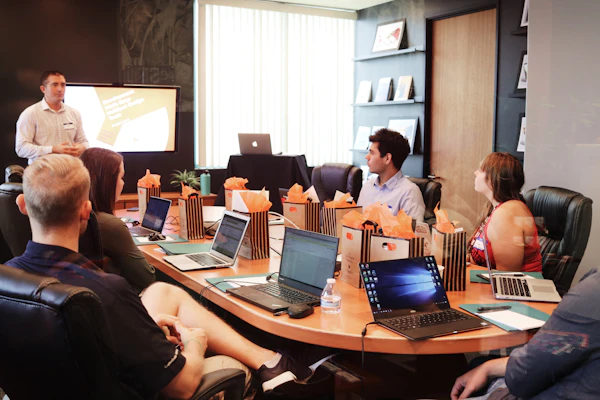
Client Communication Tools Every Freelancer Needs for Writing & Content [Home](/) > [Blog](/blog) > [Freelancing Guides](/categories/freelancing) > Client Communication Tools The world of remote writing and content creation has shifted significantly over the last few years. As a freelancer, your ability to produce high-quality prose is only fifty percent of the equation. The other fifty percent—the part that determines if you get rehired or referred—is how you manage your professional relationships. Effective interaction with stakeholders ensures that projects stay on track, expectations are met, and payments are processed without friction. For those living the [digital nomad lifestyle](/about), where time zones shift and internet connections vary, having a reliable stack of tools is not a luxury; it is a fundamental requirement for survival. Communication in the freelance writing world is nuanced. It involves initial discovery calls, deep-dive strategy sessions, the iterative feedback loop of editing, and the final hand-off of assets. When you are working from a [co-working space in Medellin](/cities/medellin) or a quiet cafe in [Chisinaul](/cities/chisinau), your clients back in New York or London should feel as though you are in the next room. This sense of proximity is built through the deliberate selection and masterly use of software. A writer who misses a deadline because they "didn't see the email" or "lost the Slack thread" is a writer who won't be in business for long. In this guide, we will explore the specific categories of tools that bridge the gap between creative output and client satisfaction, ensuring you can build a sustainable career while exploring the [best cities for remote work](/blog/best-cities-for-digital-nomads). ## 1. Project Management Platforms: The Foundation of Clarity Managing a content calendar requires more than a simple to-do list. When you handle multiple clients, each with their own style guides, deadlines, and internal cultures, you need a central source of truth. Project management tools act as the "office" where the work happens. They allow you to move beyond messy email chains and keep all relevant information in one place. For writers, visual tools are often the most effective. Platforms like Trello or Asana allow you to create boards that represent the stages of your writing process: Researching, Drafting, Internal Review, Client Review, and Published. By inviting your client to a shared board, you provide them with instant visibility into your progress. This reduces the number of "status update" emails you receive, freeing up your time to focus on actual writing. In the [category of productivity](/categories/productivity), these tools are often ranked by their ease of use. For a freelancer, the goal is to spend less time managing the tool and more time using it. If you are a [freelance writer](/jobs/writing), consider setting up a specific template for every new article. This template should include:
- A checklist for SEO requirements.
- Links to the client's internal style guide.
- A section for primary sources and interview notes.
- Deadline dates for first drafts and final revisions. By standardizing your workflow, you project an image of extreme professionalism. Clients value freelancers who bring their own systems to the table. It proves that you are not just a "hired pen" but a partner in their content strategy. This is especially important when you are targeting high-paying remote roles where the stakes are higher and the expectations more rigid. ## 2. Real-Time Messaging: Balancing Speed and Focus Instant messaging has replaced the phone call for most day-to-day interactions. Slack and Microsoft Teams are the giants in this space, and as a freelancer, you will likely be expected to join your client's workspace. However, there is a danger to being "always on." When you are working from a beach in Bali, a constant stream of notifications can ruin your concentration and your work-life balance. To manage real-time messaging effectively, you must set clear boundaries. Use the status feature to indicate when you are "Deep Working" or "Away for the Day." This is a vital part of managing client expectations. If your client sees a little "moon" icon next to your name, they are less likely to get frustrated if you don't respond within five minutes. ### The Benefits of Organized Channels
- Topic Specificity: Instead of one giant thread, use channels for specific projects or departments.
- Searchability: You can easily find that one specific piece of feedback from three weeks ago by using the search function.
- Integration: Many messaging apps integrate with your writing tools, sending notifications when a document is edited or a task is moved. If you are working across vast time zones, such as being based in Bangkok while working for a company in San Francisco, Slack’s "Schedule Send" feature is your best friend. You can write your response during your morning (their night) and schedule it to arrive when they start their day. This keeps you top-of-mind without waking them up with a 3:00 AM notification. ## 3. Video Conferencing: Building Rapport and Trust While a lot of writing work is text-based, human connection is best built through face-to-face interaction. Video conferencing tools like Zoom, Google Meet, or even specialized platforms for remote teams are essential for onboarding and high-level strategy meetings. Seeing a client's facial expressions and hearing their tone of voice provides data points that text simply cannot convey. As a freelancer building a personal brand, your video setup matters. You don't need a professional studio, but you do need good lighting and a quiet environment. If you are staying in a coliving space, check the internet speeds and background noise levels before scheduling a high-stakes call. ### Tips for Better Video Meetings
1. Always have an agenda: Send a brief outline 24 hours before the call. This shows respect for the client's time.
2. Record the session: Always ask for permission first, but recording calls ensures you don't miss any critical details mentioned during the conversation.
3. Summarize with an email: After every call, send a "Next Steps" summary. This creates a paper trail and confirms that both parties are on the same page. For those pursuing the digital nomad life, video calls are the ultimate test of your nomadic setup. If you can reliably hop on a Zoom call from Lisbon and provide insightful content advice, the client will forget that you are thousands of miles away. ## 4. Collaborative Writing and Editing Tools The core of a writer's work happens in the document. The days of emailing Word documents back and forth with names like "Article_Final_v2_REVISED_FINAL.docx" are over. Modern content creation requires collaborative environments where feedback is instantaneous and version history is clear. Google Docs remains the king of the industry for a reason. Its commenting and "Suggesting" modes allow for a fluid dialogue between writer and editor. When a client leaves a comment, you can reply directly within the document, creating a focused thread about that specific sentence or paragraph. This keeps the conversation contextual. Other tools like Notion are becoming popular for writers who also manage content calendars. Notion allows you to embed your writing within a larger database of tasks and notes. If you are working on a content marketing project, having your draft right next to the SEO keyword list and the social media distribution plan is incredibly helpful. ### Avoiding Version Control Nightmare
- Use the Version History feature to see what changes were made and by whom.
- Never "Resolve" a comment until the issue is actually fixed. - Use the @mention feature within documents to direct a specific question to a specific stakeholder. If you are looking for remote writing jobs, being proficient in these collaborative tools is often a non-negotiable requirement. Companies want to know that you can fit into their existing workflows without needing a week of training. ## 5. Asynchronous Video Messaging: The Middle Ground One of the greatest challenges for freelancers in places like Tbilisi or Cape Town is the time zone gap. When a text message is too brief and a video call is impossible to schedule, asynchronous video is the answer. Tools like Loom allow you to record your screen and your face simultaneously, creating a short video link that the client can watch at their convenience. This is particularly effective for:
- Explaining complex edits: Instead of writing a long email, you can record a 2-minute video walking the client through your reasoning for a specific structural change.
- Reporting and analytics: Show the client the performance of their content by walking through a live dashboard.
- Onboarding: Send a "Welcome" video to a new client to set the tone for the relationship. Asynchronous communication is a superpower for the remote professional. It allows you to maintain a high level of clarity while protecting your deep work hours. It also creates a more personal connection than an email ever could. Many successful freelancers use this to humanize their service and stand out in a crowded market. ## 6. Feedback and Proofing Software Writing is rarely perfect on the first try. Managing the feedback process is where many freelancers fail. If a client provides vague feedback like "make it pop" or "this doesn't feel right," it is your job to guide them toward more constructive input. Specialized proofing tools can help with this. While Google Docs is great for text, if you are also handling the layout or graphics for a blog post, tools like Frame.io or Filestage allow clients to leave comments on specific visual elements. Furthermore, using an AI-powered assistant like Grammarly or Hemingway before sending a draft to a client is essential. These aren't just for catching typos; they help ensure your tone is consistent with the client's brand. Sending a clean, error-free draft shows that you respect the editor's time. This attention to detail is what allows you to move into high-tier freelance writing. ### Checklist Before Sending a Draft
- Run a spell check and grammar check.
- Verify all external links work.
- Check that the document follows the client's formatting rules (headers, font, etc.).
- Ensure all "to-do" notes or placeholders are removed. ## 7. Scheduling and Appointment Setting The "let's find a time that works for everyone" dance is a massive time sink. As a freelancer, your time is your inventory. Every fifteen minutes spent emailing about a meeting time is fifteen minutes you aren't getting paid for. Tools like Calendly or SavvyCal eliminate this friction. You simply set your available hours—taking into account your local time zone—and send a link to the client. They can then pick a slot that works for them. For digital nomads, this is particularly important when moving between regions. If you move from Mexico City to Athens, you only need to change your timezone in one place, and all your future booking links will update automatically. This prevents the awkward situation of a client booking a meeting at what is now 3:00 AM for you. ### Professionalism in Scheduling
- Set Buffer Times: Don't allow back-to-back meetings. Give yourself 15 minutes to take notes and decompress.
- Limit Meeting Types: Create specific links for "15-minute Discovery Calls" and "60-minute Strategy Sessions."
- Include Questions: Ask for the meeting agenda or relevant links in the booking form so you arrive prepared. By controlling your calendar, you demonstrate that you are a business owner, not just a casual worker. This is a core tenet of the freelance mindset. ## 8. Proposal and Contract Management: Securing the Deal The communication doesn't stop once the client says "yes." The transition from prospect to active client involves legal and financial documentation. Using professional proposal software like Prospero or HoneyBook makes this process click-button easy. A good proposal tool allows you to:
- Embed your portfolio.
- Clearly outline the scope of work (preventing "scope creep").
- Include a digital signature block for the contract. Sending a professional, branded proposal is a strong signal of quality. It tells the client that you have a formal process for contracting and onboarding. Once the contract is signed, these tools often transition into your invoicing system, keeping your financial communication as organized as your content creation. If you are just starting and looking for entry-level writing jobs, you might think these tools are overkill. However, using them early on builds the habits you will need when you are managing six-figure contracts. ## 9. Customer Relationship Management (CRM) for Freelancers As your business grows, you will need a way to track your interactions with various leads and past clients. A CRM isn't just for large sales teams; it's a vital tool for any freelancer who wants to maintain a consistent pipeline. Your CRM should track:
- When you last contacted a client.
- What their specific pain points were.
- Important dates (like the launch of a new product they mentioned).
- Referrals they have sent your way. If you are a writer specializing in tech and SaaS, your CRM might be a simple spreadsheet or a more complex tool like Hubspot. The goal is to ensure no lead falls through the cracks. If a potential client in Berlin told you they weren't ready to start until Q3, your CRM should remind you to follow up in late June. This proactive communication is what separates the starving artists from the thriving professionals. ## 10. File Sharing and Asset Management Writing often involves more than just words. You may need to share research papers, high-resolution images, brand assets, or interview recordings. Relying on email attachments is risky; files get lost, filters block them, and they take up unnecessary space. Cloud storage solutions like Dropbox, Box, or Google Drive are the standard. However, the key is organization. Create a standardized folder structure for every client:
- 01_Contracts_and_Admin
- 02_Research_and_Source_Materials
- 03_Drafts_In_Progress
- 04_Final_Assets Share the "Final Assets" folder with the client from day one. This gives them a "delivery box" where they know they can always find the latest version of your work. This level of organization reduces their anxiety and makes you a joy to work with. If you are working on a long-term content project, this structure is even more critical. ## 11. Adapting to Different Client Cultures Tools are only as good as the person using them. Different industries have different communication styles. A startup in San Francisco might expect you to be active in their Slack and use informal language. A law firm in London might prefer formal email updates and structured PDF reports. Part of your job as a freelancer is to audit your client's preferred communication style during the discovery phase. Ask them:
- How do you prefer to receive updates?
- What is your expected response time for non-urgent queries?
- Which platform do you use for project management? Adaptability is a key skill for any remote worker. By mirroring your client's preferred tools and styles, you reduce the "friction of working with a freelancer." You want to be the easiest person in their inbox to deal with. ## 12. Security and Privacy in Communication When you are communicating with clients, you are often handling sensitive information—unreleased product details, internal strategies, or personal data. Using insecure public Wi-Fi in a cafe in Hanoi to send an unencrypted contract is a major risk. Digital nomads must take security seriously. This includes:
- Using a VPN: Essential for protecting your data on public networks.
- Two-Factor Authentication (2FA): Enable this on every single tool mentioned in this article.
- Encrypted Messaging: For highly sensitive discussions, consider using Signal. Being able to assure a client that their data is safe with you is a powerful selling point. You can even include a "Security Protocol" section in your freelance proposals to show that you take their privacy seriously. ## 13. Avoiding the "Tool Overload" Trap It is easy to get distracted by the latest shiny app. However, every tool you add to your stack is another thing you have to manage, pay for, and learn. The "minimum viable stack" is usually the best approach. For a freelance writer, this often looks like:
1. Communication: Slack + Email.
2. Writing/Editing: Google Docs.
3. Meetings: Zoom + Calendly.
4. Project Tracking: Trello or a simple Notion board.
5. Admin: A basic invoicing tool like Wave or PayPal. Start with these and only add more complex tools when a specific problem arises that your current stack cannot solve. The goal is to spend your energy on content creation, not on software configuration. ## 14. Setting the Stage: The Onboarding Email The most important piece of communication you will ever send is the onboarding email. This happens immediately after the contract is signed. It sets the rules for the rest of the relationship. In this email, you should:
- Reiterate the project goals and timeline.
- Introduce the tools you will be using.
- Provide links to your shared folders and project boards.
- State your "office hours" in your current time zone.
- Give a clear instruction on what the client needs to do next. This email removes ambiguity. It transforms the client's excitement about hiring you into confidence that the project is in good hands. This proactive approach is a hallmark of professional freelancers. ## 15. The Role of AI in Client Communication Artificial Intelligence is changing how we write, but it is also changing how we communicate. Tools like ChatGPT can help you draft difficult emails, such as asking for a late payment or explaining a delayed deadline. However, use AI as a starting point, not a replacement for your voice. AI can also help with:
- Sentiment Analysis: Checking if your email sounds too aggressive or too passive.
- Transcription: Using tools like Otter.ai to transcribe your client calls into searchable text.
- Summarization: Turning a long, rambling brief into a concise list of requirements. As you explore the future of remote work, staying updated on these AI enhancements will keep you competitive. Just remember that the "human touch" is what clients pay a premium for. They want to know there is a person behind the screen who understands their brand and their goals. ## 16. Managing Feedback Loops for High-Volume Projects If you are working on a massive project, like writing a 50,000-word technical guide or a series of whitepapers, the communication requirements scale significantly. You cannot wait until the end of the project to check in. In these cases, weekly "Syncs" or "Status Reports" are necessary. A status report doesn't have to be long. A simple bulleted list sent every Friday can suffice:
- What was completed this week.
- What is planned for next week.
- Any "blockers" where you need input or assets from the client. This keeps you accountable and keeps the client informed. It is also an excellent way to document your progress in case there are questions about the billable hours. Many freelancers who find work through remote job boards find that this regular reporting is the key to turning a one-off gig into a long-term retainer. ## 17. Dealing with Communication Breakdowns Even with the best tools, things can go wrong. A client might stop responding, or a misunderstanding might lead to a heated exchange. How you handle these moments defines your career. If a client goes quiet, don't just send "Just checking in" every two days. Change the medium. If they aren't answering emails, try a quick message on Slack or LinkedIn. If that fails, schedule a brief "Catch-up" call using your booking link. If there is a disagreement, move the conversation from text to video. Text is notorious for stripping away nuance and making people sound more hostile than they are. A five-minute video call can often resolve an issue that would have taken twenty emails to sort out. This is a vital part of conflict resolution for freelancers. ## 18. Integrating Your Tools for Efficiency The final step in mastering your communication stack is integration. Use tools like Zapier or Make to connect your apps. For example:
- When a client signs a contract in Prospero, automatically create a new project in Asana.
- When you move a Trello card to "Finished," automatically send an email to the client asking for their review.
- When someone books a meeting in Calendly, automatically create a Zoom link and add it to your calendar. These "micro-automations" save hours of manual data entry. They allow you to scale your business without increasing your administrative burden. As you spend more time traveling the world, these automated systems will keep your business running in the background. ## 19. Conclusion: Communication is Your Competitive Edge In the world of freelance writing, the barrier to entry is relatively low. Anyone with a laptop and an internet connection can call themselves a writer. To truly stand out and command higher rates, you must move beyond just "writing well." You must become a master of the client experience. By selecting the right tools—from project management and real-time messaging to asynchronous video and secure file sharing—you create a professional environment that fosters trust and collaboration. Whether you are working from a high-rise in Dubai or a mountain cabin in Bansko, your tools are the bridge that connects your talent to your client's needs. Key Takeaways:
1. Choose a central hub for project management to avoid losing information in emails.
2. Use asynchronous tools like Loom to overcome time zone challenges and add a personal touch.
3. Automated scheduling saves time and demonstrates a professional boundary-setting.
4. Organized file sharing and clear onboarding processes reduce client anxiety.
5. Security and privacy are non-negotiable for professional freelancers.
6. Adaptability is more important than using the "perfect" tool; use what works for your client. The goal isn't to have the most expensive software; it's to have the most effective communication. When you make it easy for clients to work with you, they will keep coming back, regardless of which city you happen to be calling home this month. Explore our guides and talent section to further refine your freelance career and find your next big opportunity in the remote work world.